Coding agents
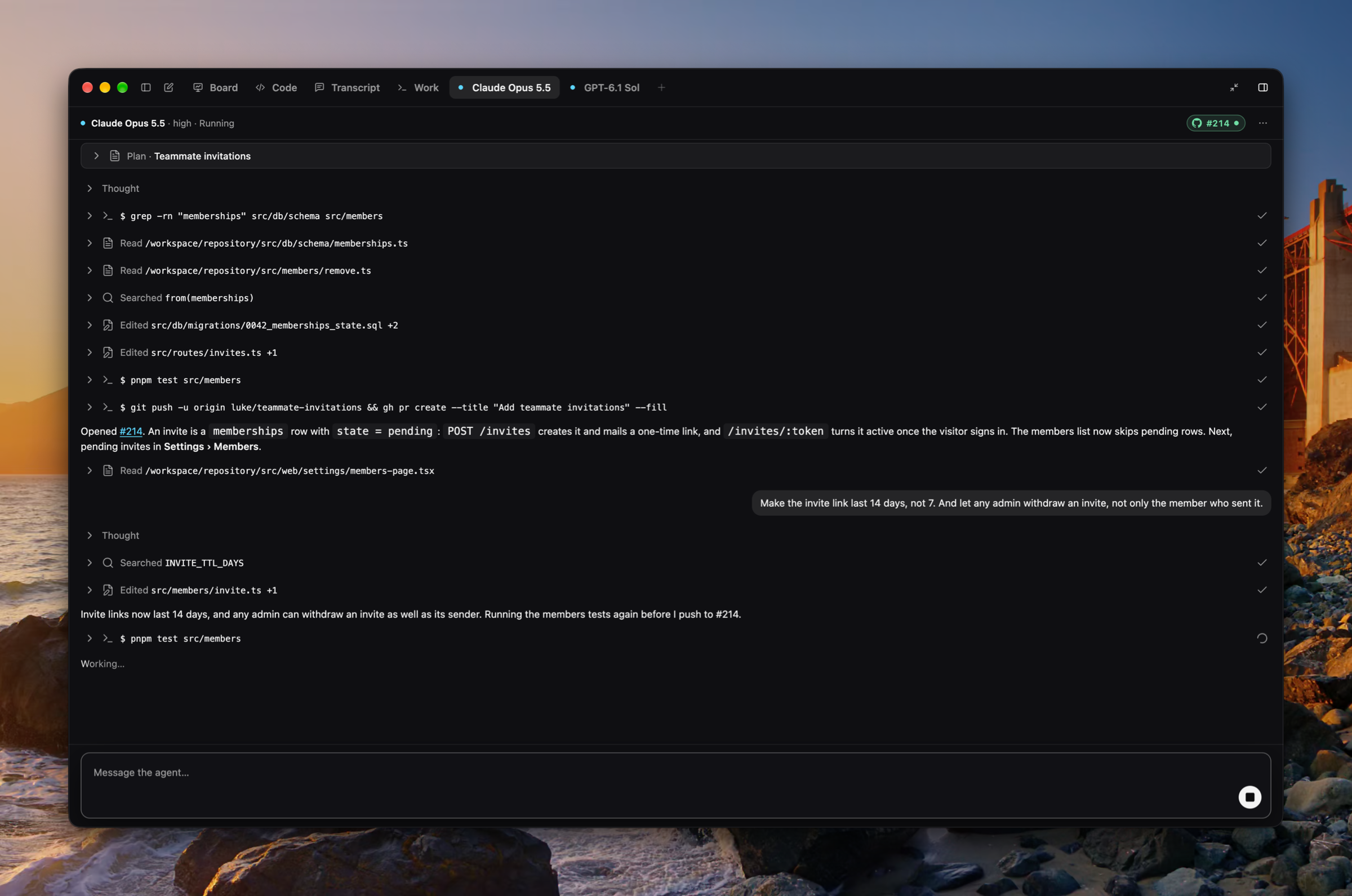
Start a coding agent from a plan. Start in the plan toolbar hands the plan to an agent working in a cloud sandbox on the plan's repository, on your default model, and its chevron picks the model, its effort, and Fast for this run from the Anthropic and OpenAI models on offer. Each agent gets a tab in the side panel beside Board, Code, and Transcript, with a live transcript of what it thought, ran, and wrote, a message box under it that steers the agent mid-run, and Stop. The tab's head wears the agent's branch, then its pull request with its state and checks, and offers Open pull request, Copy branch name, Copy checkout command, and View changes on GitHub. A macOS notification says when an agent finishes and names the pull request it opened, and its tab wears a dot until you look. Settings › Coding agents holds the default model and effort. (#1862, #1871, #1872, #1877, #1899, #1900, #1903, #1906, #1907, #1919)
Planning on a GitHub repository
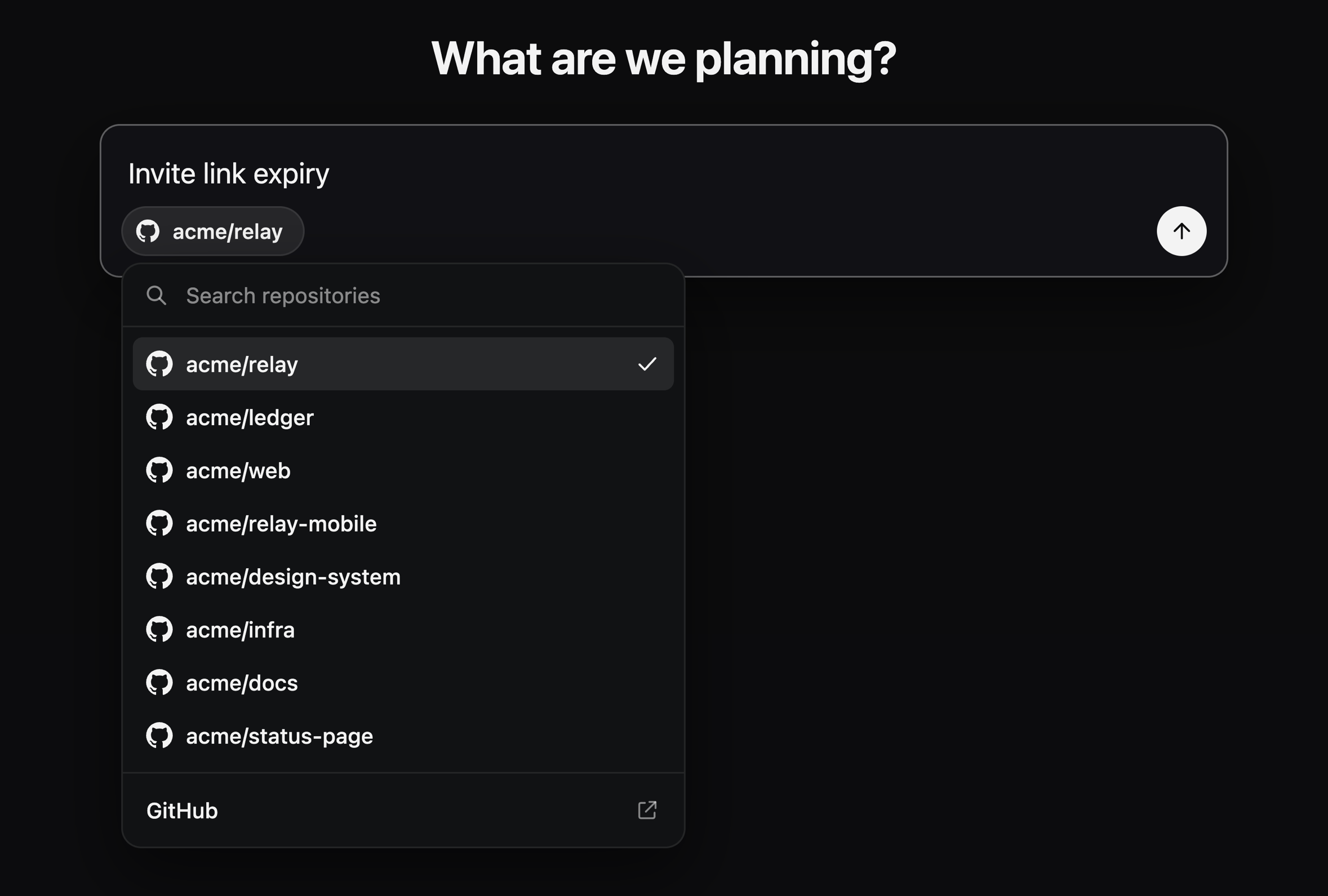
Each plan is about a GitHub repository, reached through the Luke GitHub App. The new-plan composer's chip picks it, with your recent repositories, a search over every repository the App reaches, and a link to install the App; the plan menu offers Change repository… and Open on GitHub. Luke reads the repository and shows its code from a checkout in the cloud, so planning no longer runs commands on your Mac. The local-folder path is gone: a plan from an earlier release opens on the repository picker. Sign in with GitHub now goes through the Luke GitHub App too. (#1863, #1866, #1868, #1870, #1877, #1885)
Improvements
- Back and forward through plans and Settings, with ⌘[ and ⌘], title-bar buttons, a Go menu, and the mouse's back and forward buttons (#1921)
- A Theme setting under Settings › Appearance: Light, Dark, or System (#1934)
- A light palette for the window, the code, and the whiteboard (#1936)
- Drag the side panel's tabs into a new order, or move one with ⇧⌘← and ⇧⌘→ (#1935)
- The side panel drags out until the document's floor, and full screen asks a longer pull (#1923)
- A sleeker sign-in that waits in place while the browser answers, with Cancel (#1926)
- Send feedback and Suggest a feature open a standard dialog, with screenshots attached, pasted, or dropped (#1928)
- Escape leaves Settings (#1921)
- Every Settings pop-up is the app's own searchable menu, and the effort is a segmented control (#1877, #1888)
- The voice transcript reads as a conversation, each call from a divider with its day and time (#1877, #1898)
- New plan and the agent's message box share one composer (#1877, #1933)
- Copy plan moved into the plan's ⋯ menu and keeps ⇧⌘C (#1872, #1877)
Fixes
- Fixed Settings' toolbar ending Reset to defaults short of the edge (#1925)
- Fixed glyph and labelled buttons drawing in several styles across the window (#1929)