Workspaces
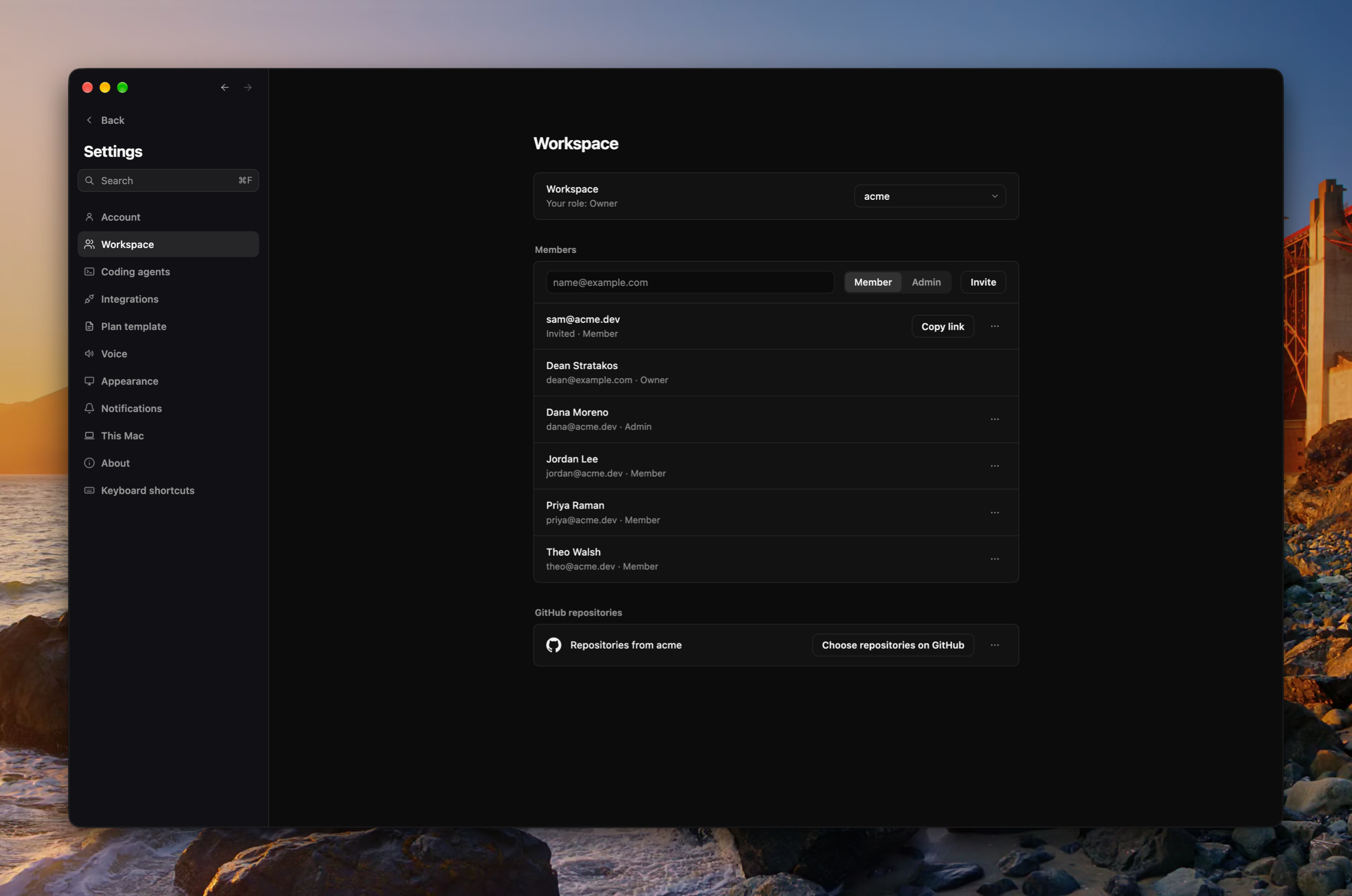
Plans now live in workspaces you share with your team. Every account starts with a personal workspace, and the sidebar switches between workspaces and creates new ones. A workspace's members read and write its plans, its coding agents, and their calls. Settings › Workspace invites people by link, lists the invites still pending, removes members, and connects the workspace's own GitHub organization, whose installation is the only source of its repositories. Your personal GitHub link moves to Settings › Integrations, and the Mac signs in once and holds a session of its own. (#2110, #2111, #2122, #2133, #2151, #2152, #2124, #2250, #2268, #2274, #2396, #2135, #2153, #2414, #2418, #2427, #2500, #2501, #2502, #2503, #2504, #2505, #2508, #2524, #2539, #2566)
Eight more integrations
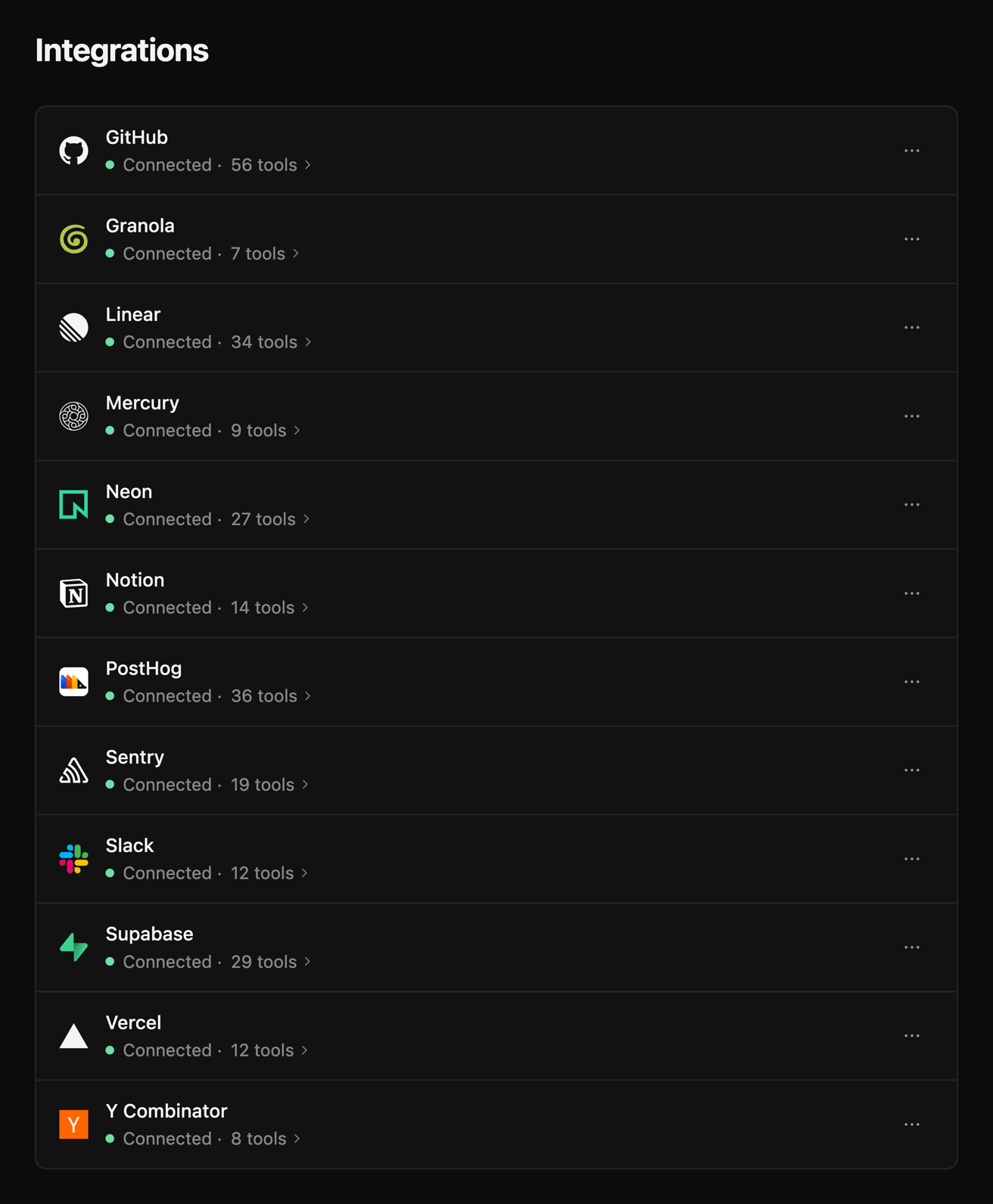
GitHub, Granola, Mercury, Neon, PostHog, Supabase, Vercel, and Y Combinator join Linear, Notion, Sentry, and Slack in Settings › Integrations. Every tool a server offers is now offered to Luke and coding agents, Slack's writes included. GitHub connects through your own GitHub sign-in. An integration reads Connected only once its server answers with tools, and says the server's own reason when it does not. (#2495, #2499, #2479, #2490, #2532)
The MCP popover
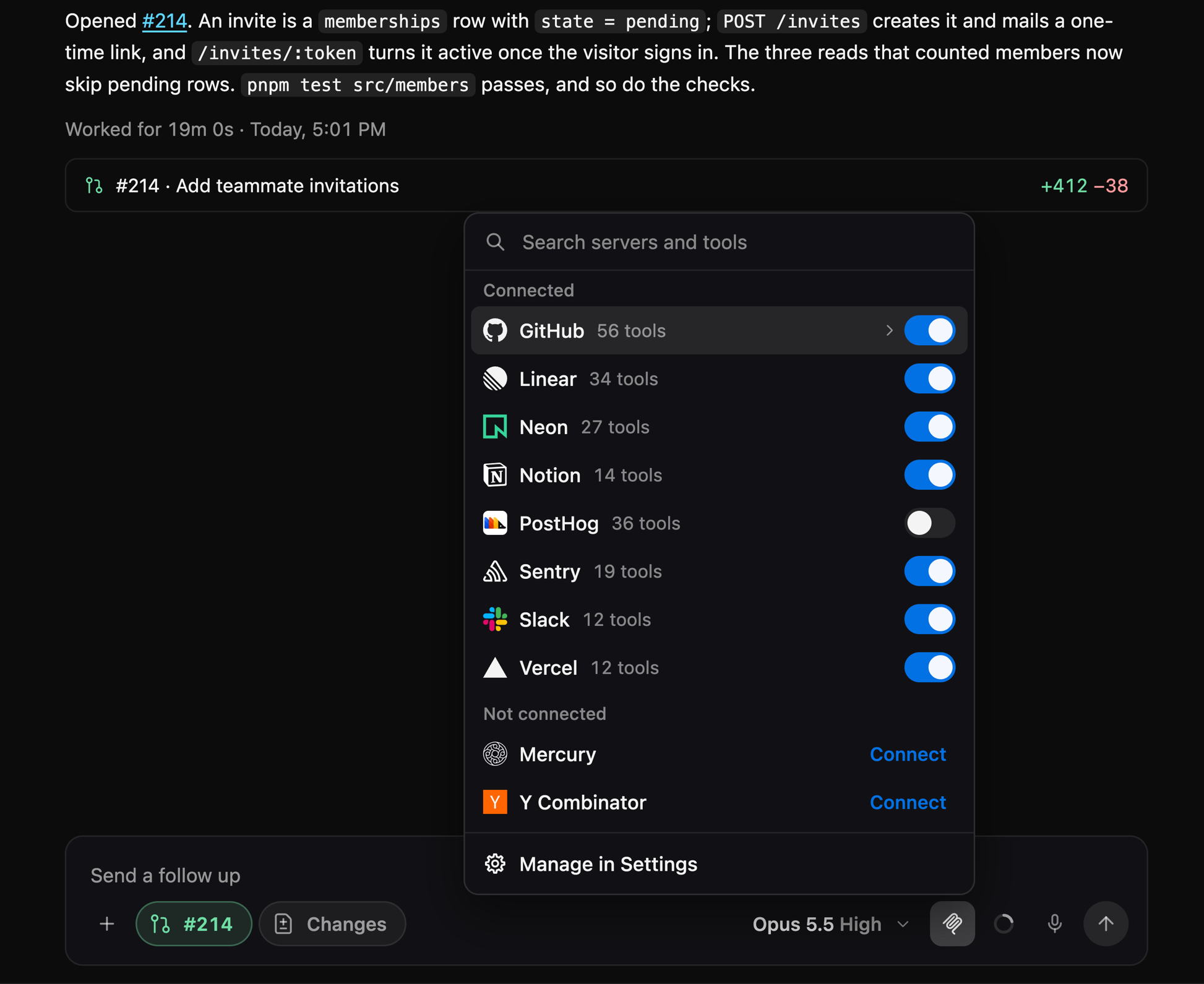
The MCP button in a coding agent's message box searches servers and their tools, lists Connected apart from Not connected, and opens a server onto its tools in place, each tool onto its whole description. Settings › Integrations searches the same way, and a connected row opens onto its tools. (#2527, #2528, #2542, #2554)
Home
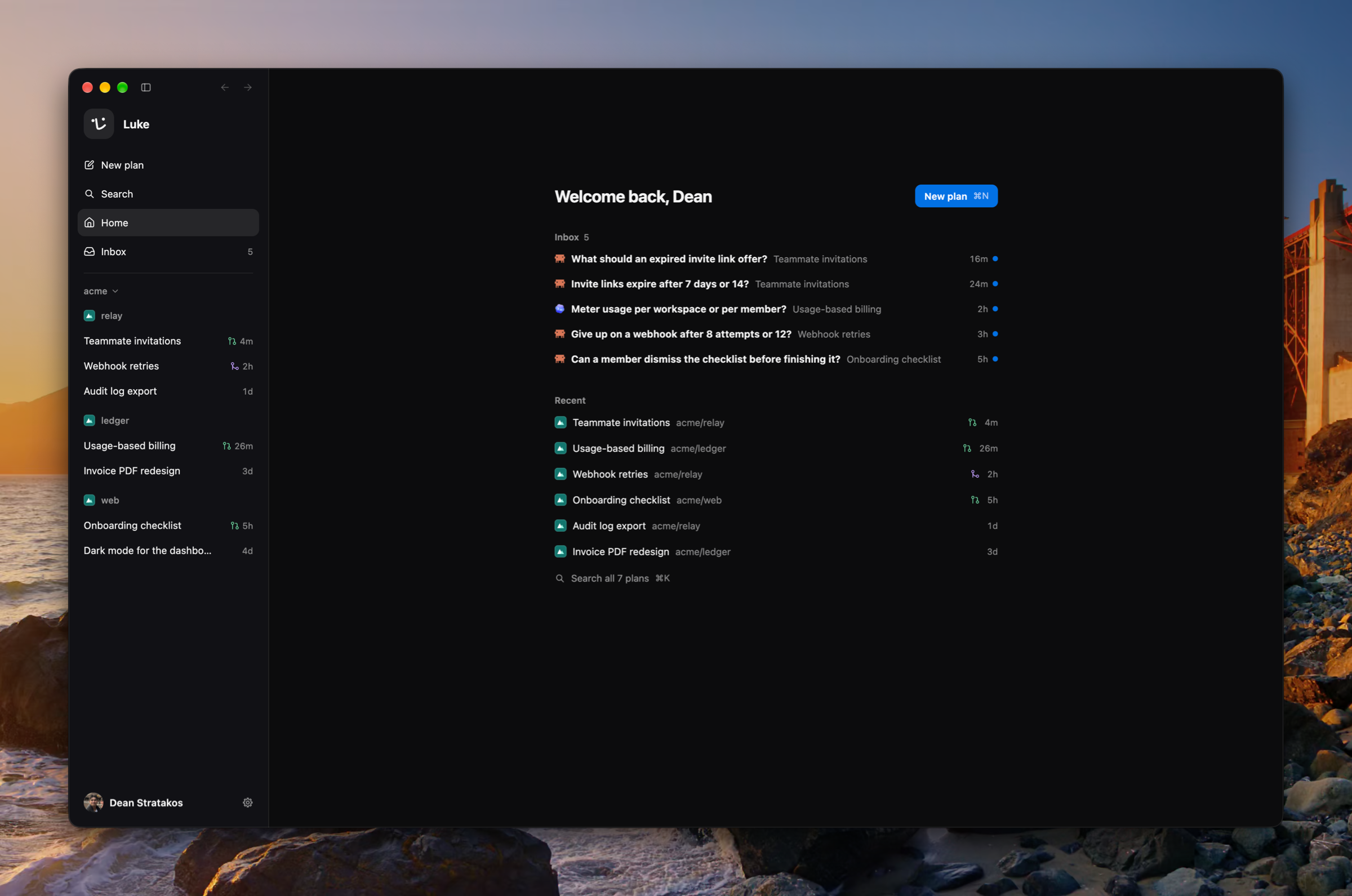
With no plan open, Luke rests on a home page that greets you with New plan, what needs you, and your recent plans, which ↑ and ↓ move through. The sidebar's Home row and ⇧⌘H go there. A launch reopens the plan you last had open, its tabs and side panel as they were. New plan is now a dialog over the window with the plan's name and a repository chip. (#2468, #2485, #2494, #2543, #2550, #2562)
The Inbox, one item at a time
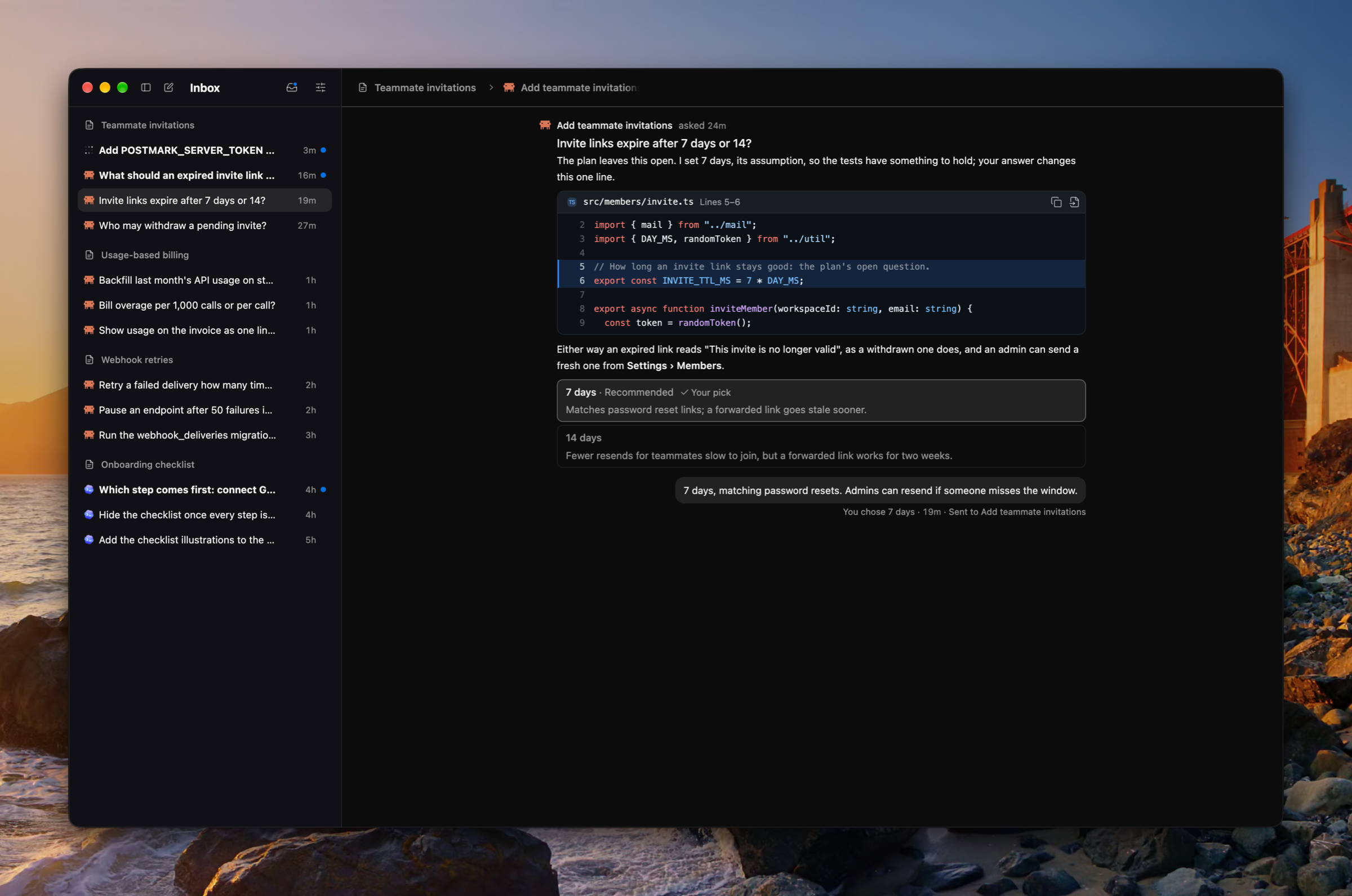
The Inbox reads one item at a time beside a list grouped by plan or newest first. What needs you wears a dot and a bold title, and the Needs you toggle narrows the list to it. A settled item shows what it offered with your pick marked, and the list resizes. (#2442, #2465, #2497, #2551)
Fast on your own key
Saving an Anthropic key asks once whether its organization runs fast mode, and Fast is offered on any key that does. When the organization was never granted fast mode, the Fast row says so and links to where you ask for it. A fast step Anthropic refuses runs again at standard speed, and its turn's card says so. (#2544, #2552, #2555, #2556)
Improvements
- ⇧⌘T reopens the tabs you closed, the latest first, each where it stood (#2429)
- The update pill shows only what there is to press, a failed check says so, and Luke's menu can check for updates (#2428)
- An agent's GitHub error offers the GitHub sign-in, and the start or message goes through once you sign in (#2415)
- An integration's sign-in waits with Reopen and Cancel, and says when it failed or did not finish (#2521)
- Every setting has one home in Settings, and Open Settings mends every GitHub and integration refusal (#2418, #2501)
- ⌘K lists the Settings pages, and steps its filters with ⌘[ and ⌘], or ← and → while the field is empty (#2489, #2496)
- A tool row about a page, the board, an agent, code, the plan, or the Inbox opens it (#2484)
- An agent named anywhere, in the Inbox, a transcript, ⌘K, or the archived list, hangs its card and opens its tab (#2523)
- A file is named one way wherever it stands, hangs its card, and opens in the side panel (#2559)
- Copy a link to a plan section from its heading's ⋯, and a mention of it in the plan opens it (#2577)
- A page tab's code toggle shows its version's HTML as a File tab draws a file (#2487)
- An agent's Changes tab is kept, pinned, and named for its agent like the side panel's other tabs (#2439)
- A press on a skill's chip opens its SKILL.md, and a coding agent's Loaded skill row names the skill as /name with its card (#2473, #2557, #2578)
- The Call tab stands a call's first ask and opening look-around where they happened, and folds a spoken turn's words with its work (#2433, #2486, #2436, #2437, #2453, #2449)
- The notetaker writes a correction in place of exactly what it names, and may write a point's parts as sub-bullets (#2460, #2463, #2459)
- Switches turn on in the accent blue (#2518)
- Every menu, modal, hover card, tab, fold, chip, and segmented control is drawn one way across the app (#2536, #2538, #2549, #2553, #2558, #2560, #2531)
- Working, failed, unread, a pull request, a provider, and a time each wear one mark wherever they are drawn (#2526, #2530, #2535, #2546)
- A read that did not land says so the same way everywhere, then offers Retry (#2534)
- Fewer lines describe the screen back to you (#2567)
Fixes
- Fixed a goodbye's turn reading as failed rather than settled (#2433)
- Fixed the voice and call windows being sent the planning conversation (#2464)
- Fixed Settings pages drawing at the wrong size on their first frame (#2425)
- Fixed menus scrolling sideways and the MCP popover's title sitting off (#2475)
- Fixed the Inbox's crumbs and name drawn out of place, in a window and in full screen (#2488, #2493)
- Fixed the account menu and the in-place GitHub and integration remedies missing after the workspaces change (#2517, #2520)
- Fixed Granola's and PostHog's marks (#2519, #2529)
Misc
- Updated PRIVACY.md to describe what shipped on 13 October and what the new integrations can do (#2462, #2495)
- Updated Better Auth to 1.7.7, Effect to 4.0.4, and Drizzle to v1 (#2409, #2412, #2424)
- Updated the renderer to ship as ES modules, with a smaller bundle (#2506)
- Added screenshots to 0.12.0 and retook 0.2.0 through 0.11.0's from each release's own build (#2435, #2481, #2482, #2492)
- Added changelog pages ten releases at a time, a page for each release, and an RSS feed (#2498, #2507)